Everything ROEMer does, and what's coming next
Each feature says whether it's ready now or coming soon. We update this page as things ship.
Booking page and website widget
Customers pick a service and book a time that's really open, on your online booking page or with a booking widget for your website.
Online booking page
Your services, prices and team on one page at bookroemer.com/your-name, showing only times that are really open.
Booking widget for your website
Add your booking page to your own website, and customers book without leaving it.
Starter services and hours
Pick your type of business and start with services, hours and words that fit. Change the services and hours whenever you like.
Calendar and team
Everyone on your team has their own account, and you run the day by person or by room on a team calendar.
Team calendar
Day and week views by person or by room. Move appointments, block time off and add walk-ins.
Team accounts and roles
Owners, managers, staff and view-only partners each sign in with their own account and see what their role allows.
More than one location (Coming soon)
Run up to three locations from one account.
Classes
Schedule classes with a waitlist every week, each with a cap and a roster for check-in.
Classes with a waitlist
Weekly classes with a cap, a roster for check-in, and a waitlist that moves the next person in when someone cancels.
Quotes and jobs
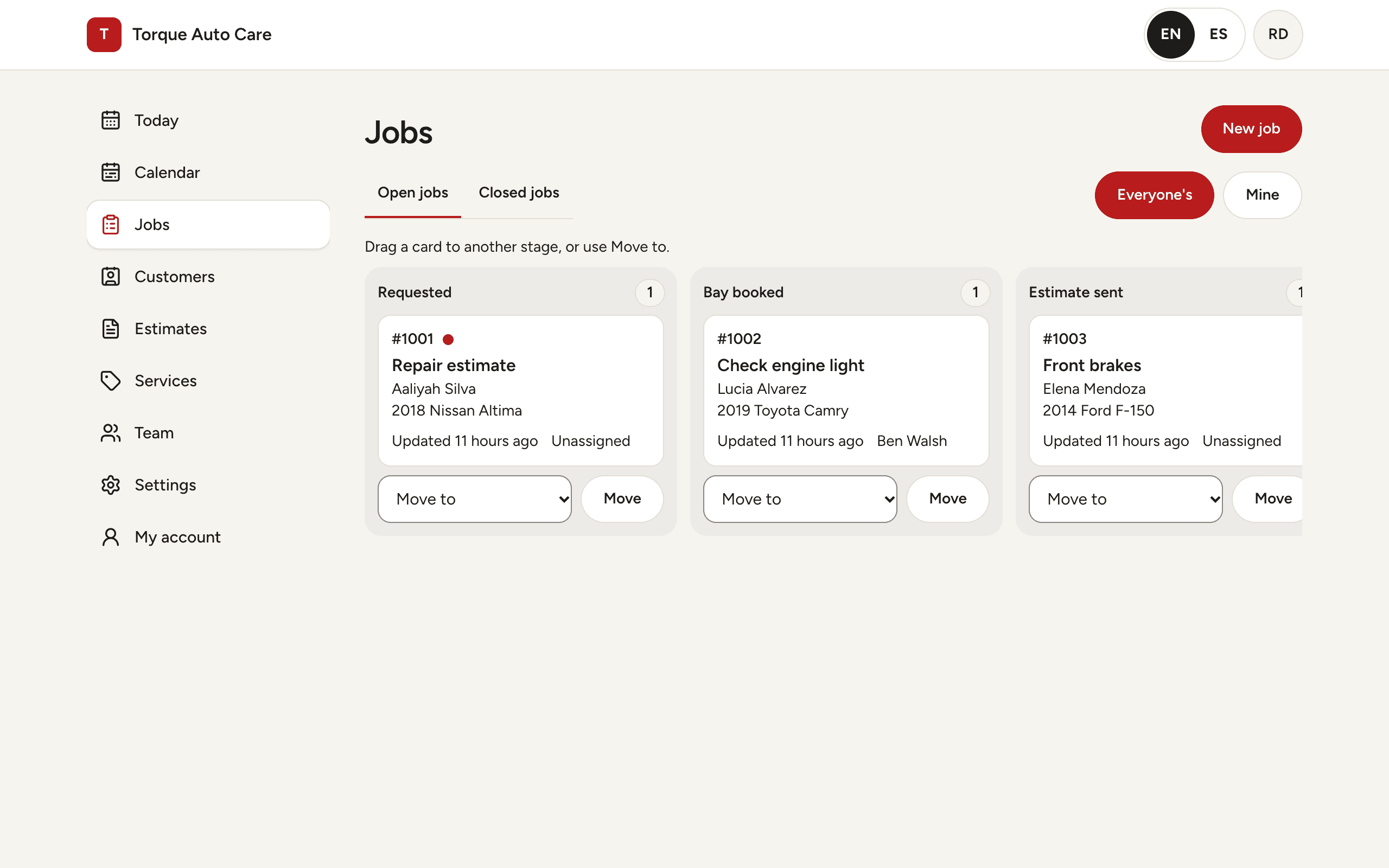
From the first photo to the finished job, with quote requests and jobs and a live job tracker.
Quote requests and jobs
Customers describe the job and add photos, and you move each job across a board as the work moves along.
Estimates customers sign online
Parts, labor and tax on one estimate that customers approve and sign from their phone.
Live job tracker
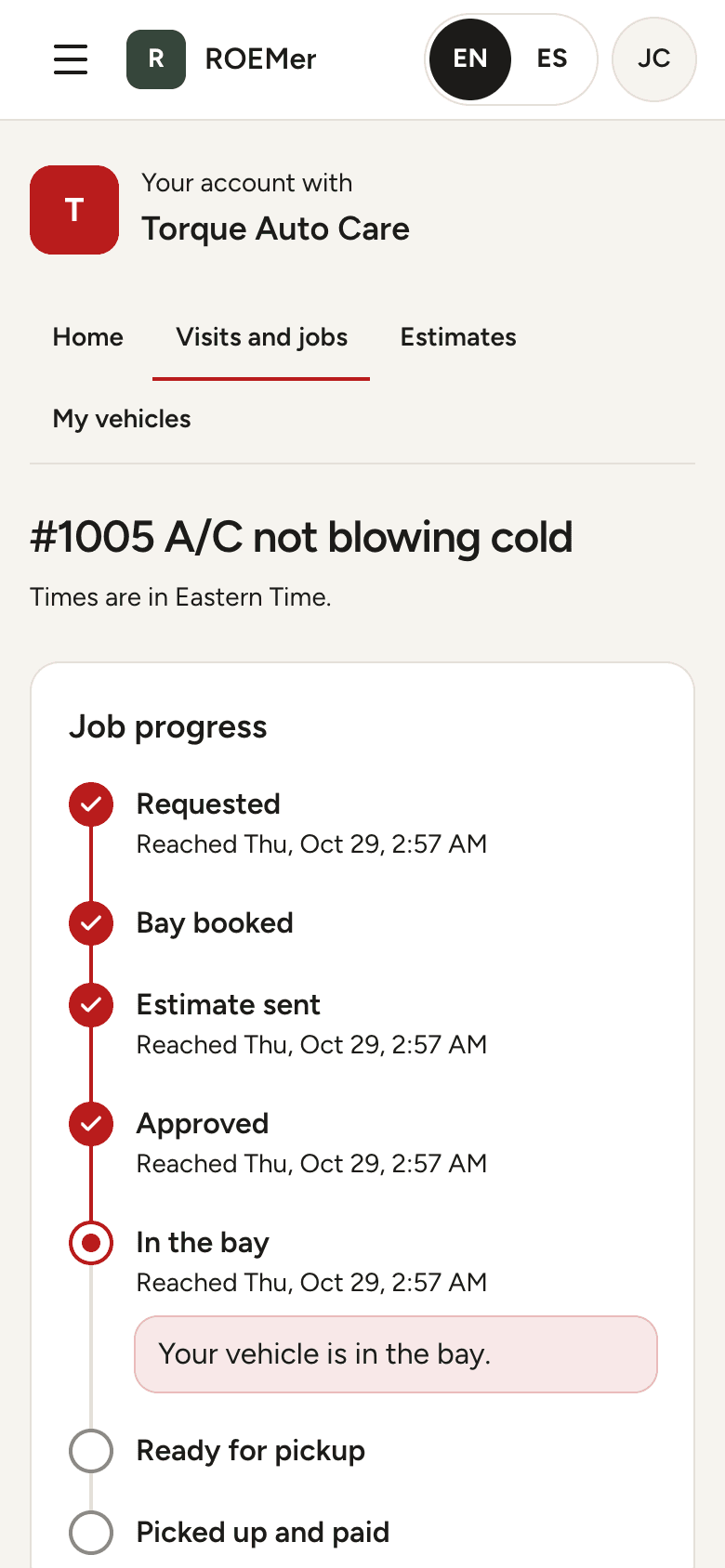
Customers see every stage of their job and where it stands now, with stage names you choose, without calling.
Customer records
Notes, tags, files, visit history, and saved vehicles, devices or properties for every customer.
Customer portal and app
One place for customers to see the businesses they use, on any phone. The portal installs like an app (Coming soon).
Customer portal
Customers sign in with a code sent to their email, see the businesses they use, and keep their name, phone number and language in one place.
Installs like an app (Coming soon)
Customers and your team add ROEMer to their phone's home screen and open it like an app.
Reminders, messages and forms
Fewer missed visits with confirmations and reminders (Coming soon), and less back and forth in messages with customers (Coming soon).
Confirmations and reminders (Coming soon)
Email and text confirmations and reminders, in each customer's language.
Messages with customers (Coming soon)
One thread per customer with photos and files, and you review each message before it goes out.
Consent forms and waivers (Coming soon)
Customers sign your consent forms and waivers before the visit.
English and Spanish
Every screen in both languages, for customers and for your team.
English and Spanish
Every screen in both languages, and each person's choice is remembered.
Payments and invoices
Record what customers pay with invoices and payment records (Coming soon), and take online payments (Coming soon) through your own account.
Invoices and payment records (Coming soon)
Check customers out, add a tip, and record cash, card or Zelle payments with a receipt.
Online payments (Coming soon)
Deposits and card payments through your own Stripe account, with the money going straight to you. ROEMer never holds it.